Technical game prototype case study

Pinball Game

A complete-feeling arcade pinball game built with Pygame, Pymunk, Blender, and Codex.

Small hardware, practical tools, readable physics.

Tech Pygame, Pymunk, Blender, Codex
Target Raspberry Pi Zero 2 W
Focus Physics, pipeline, rules, UI feedback, debugging

Overview

A playable pinball system built from practical pieces.

This project is a custom pinball game prototype built in Python with Pygame and Pymunk. The goal was to create a complete-feeling arcade loop around a portrait 800x1280 display, with the game intended to run on a Raspberry Pi Zero 2 W.

The prototype includes core table physics, flippers, launcher behavior, bumpers, lanes, chutes, orbits, nudging, tilt, ball drain handling, ball save, multiball, jackpots, score multipliers, extra ball logic, score roll-up, high scores, attract mode, help pages, debug tools, autoplay, mute controls, and cheat/debug shortcuts.

The project became as much about workflow as gameplay: the table was authored in Blender and exported as JSON so collision segments and bumper positions could be reused directly by the game.
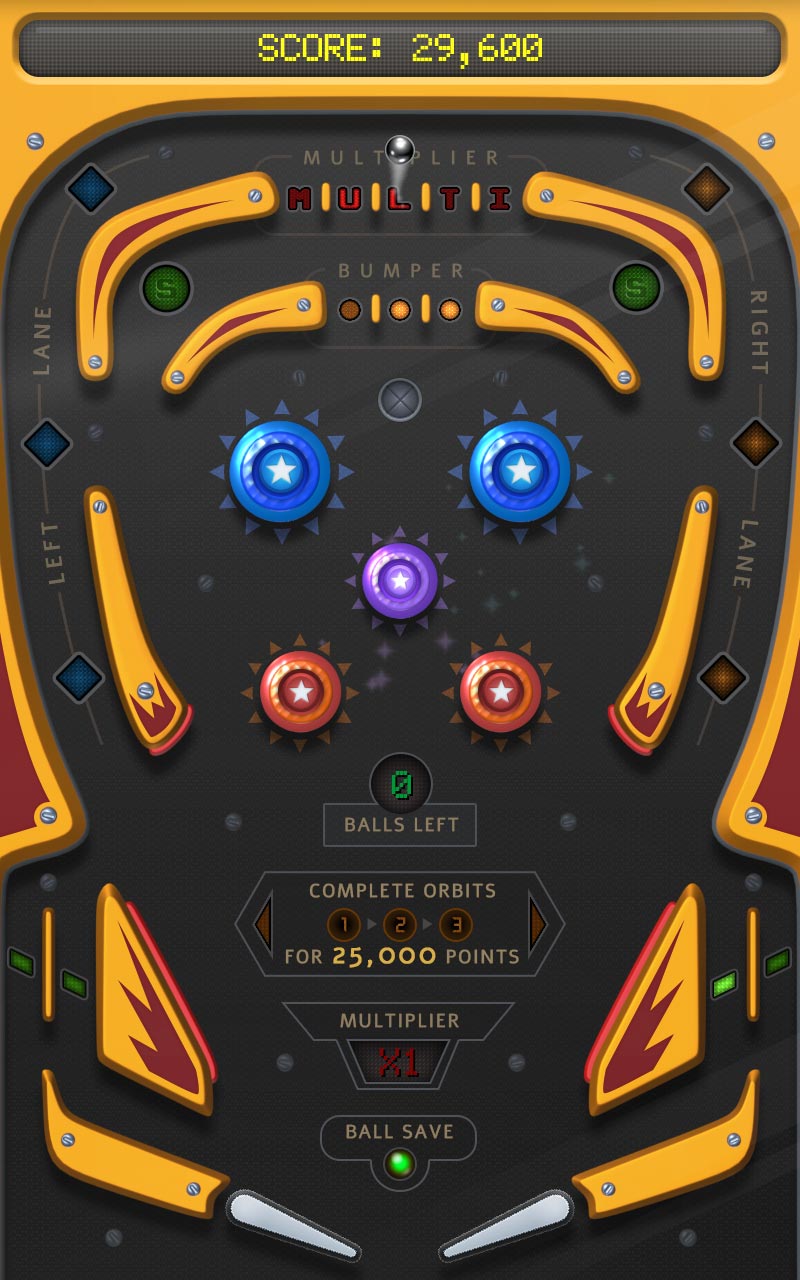
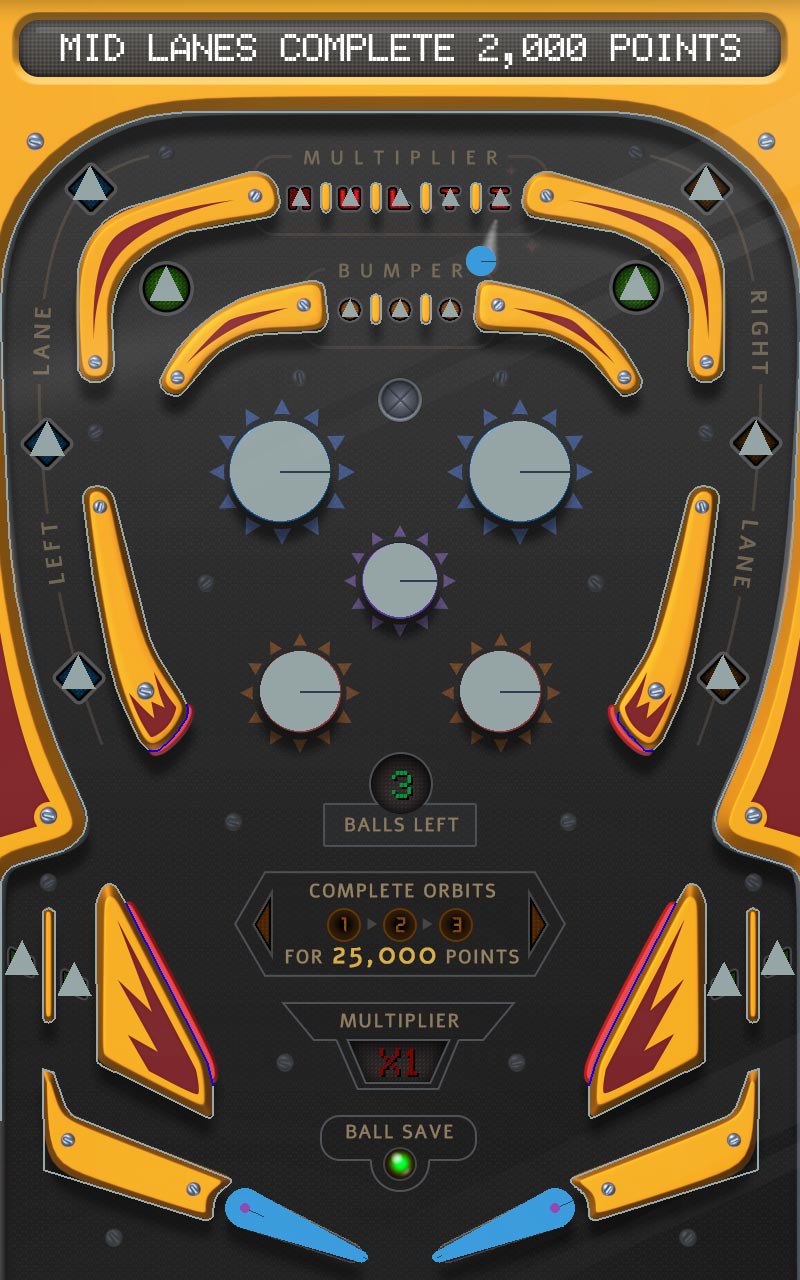
Placeholder for portrait gameplay screenshot of the pinball prototype
Gameplay screenshot showing the table.

Challenge

Build a small arcade game loop that feels complete, not just simulated.

Physics feel

Balance Pymunk simulation with arcade readability, velocity limits, and tuned collisions.

Authoring workflow

Use Blender to create table geometry and export collision data into the game.

Portrait display

Keep the table, UI, and ball motion readable on a vertical 800x1280 layout.

Hardware target

Design with Raspberry Pi Zero 2 W constraints in mind, using simple technology carefully.

Blender-to-game workflow

The pinball table was authored visually, then exported as gameplay data.

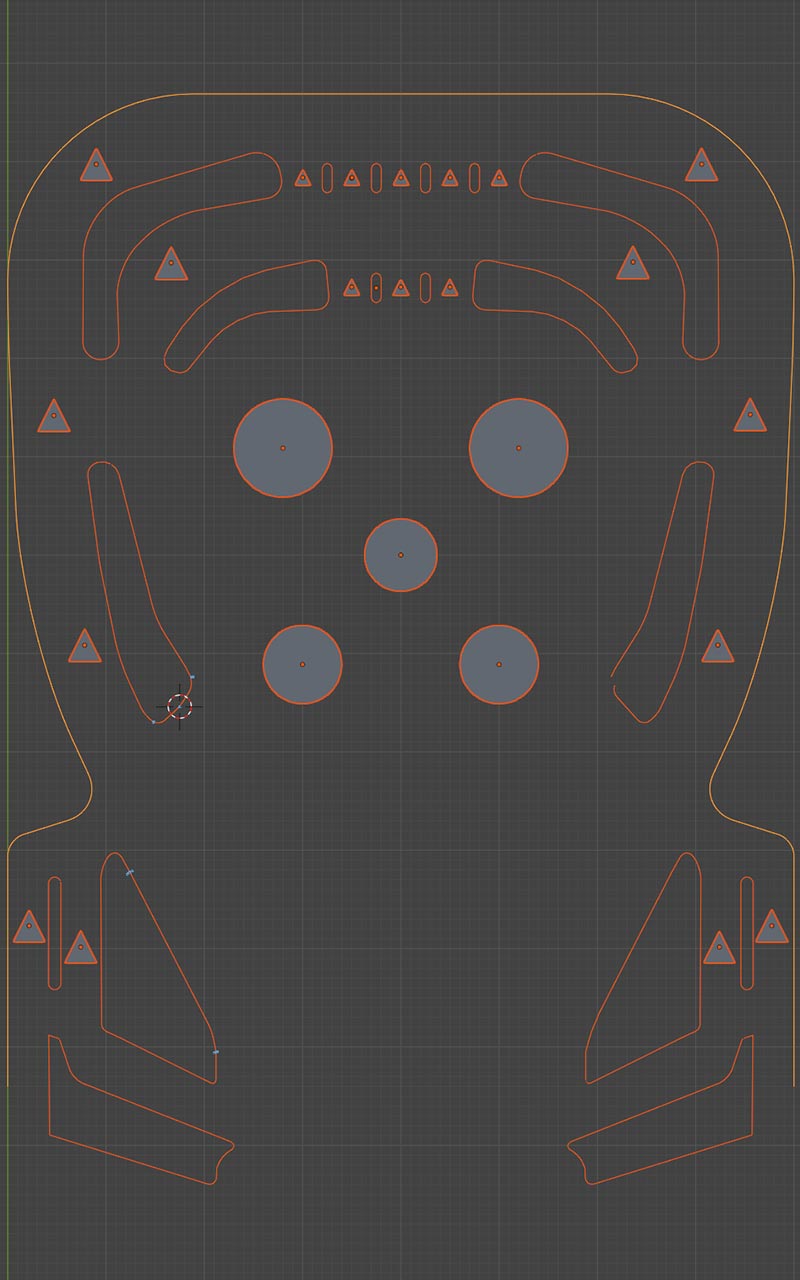
Placeholder for Blender pinball table layout and exported collision data
Blender table layout with collision segments, bumpers, lanes, and export data.

The PyMunk 2D physics library doesn't come with a visual editor tool, so the familiar Blender was chosen to fill the gap.

The table layout was created in Blender, then exported as JSON for the Python game. This made Blender a level-authoring tool rather than just a visual asset tool.

The exported data included gameplay-relevant elements such as collision segments and bumper positions. A major part of the work was making that authored geometry line up correctly with the in-game coordinate system.

  • Converted Blender-authored layout data into playable Pymunk collision shapes.
  • Handled coordinate system differences and mirrored axes.
  • Kept table iteration visual instead of hard-coding every collision point.
  • Used JSON as a small, inspectable bridge between tools.

Physics & gameplay systems

Pinball feel came from tuning movement, collisions, rules, and failure states together.

The prototype includes custom ball movement and collision handling, flippers, a launcher/plunger, bumpers, lanes, chutes, orbits, nudging, tilt, ball drain detection, and ball save behavior.

The work was not only about making the ball physically react. It also involved limiting velocity, tuning collision response, making fast motion readable, and shaping the table so the player could understand cause and effect.

Game rules such as multiball, jackpots, score multiplier, extra ball, score roll-up, and high scores helped the prototype feel more like an arcade game than a loose physics toy.

Placeholder for pinball physics systems and collision debug view
Physics debug view with ball path, collision segments, flippers, and bumper triggers.

Arcade loop

Rules, feedback, and presentation made the prototype feel like a full game.

Scoring and rewards

Jackpots, multipliers, extra balls, multiball, score roll-up, and high scores gave the player short-term goals and longer-term score-chasing structure.

Table state

Ball save, drain handling, tilt, nudging, lane states, chutes, and orbit behavior helped connect the physical table to the rule system.

Attract and help

Attract mode and instruction pages made the prototype behave more like a standalone arcade machine instead of a test scene.

Audio and controls

Mute controls, cheat/debug inputs, and clear feedback supported both play and development iteration.

UI & game feedback

The portrait layout had to support both playfield readability and arcade information.

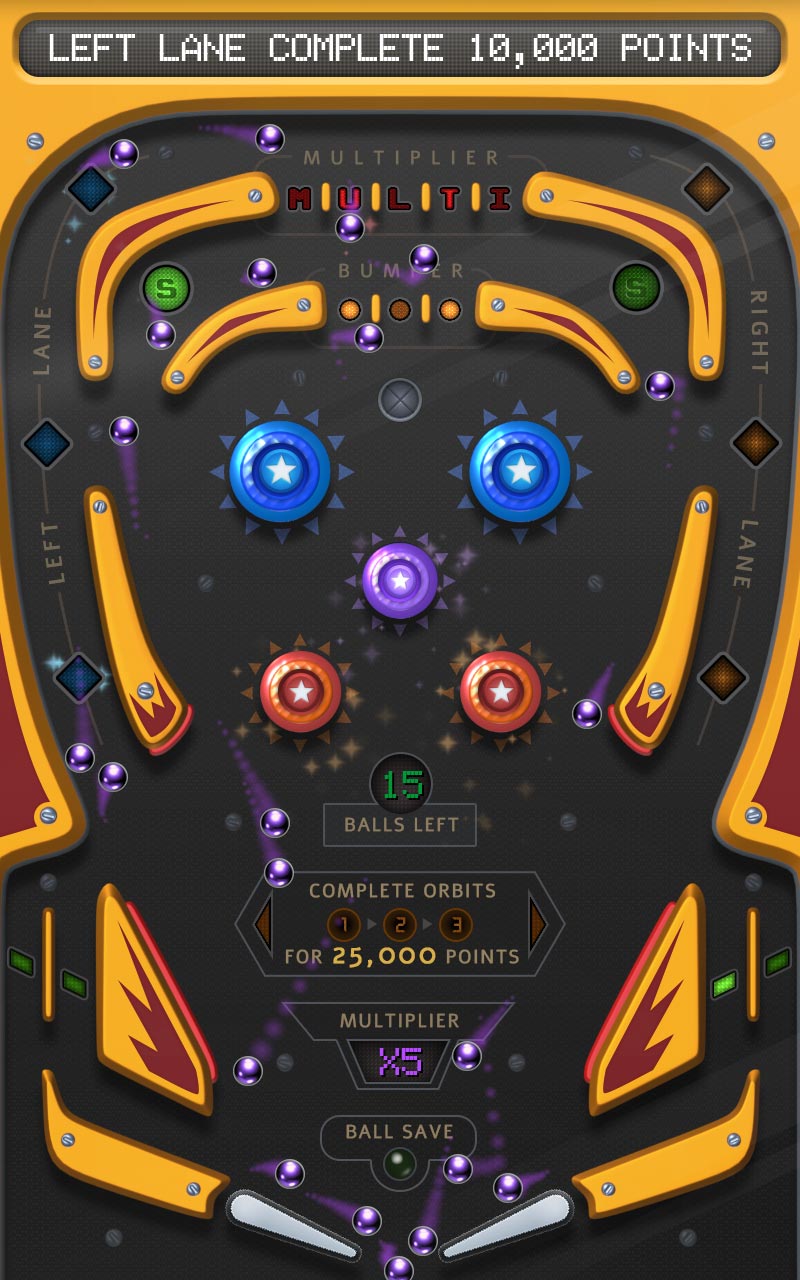
Placeholder for pinball score, jackpot, multiplier, and game state UI
Multiball (using cheats).
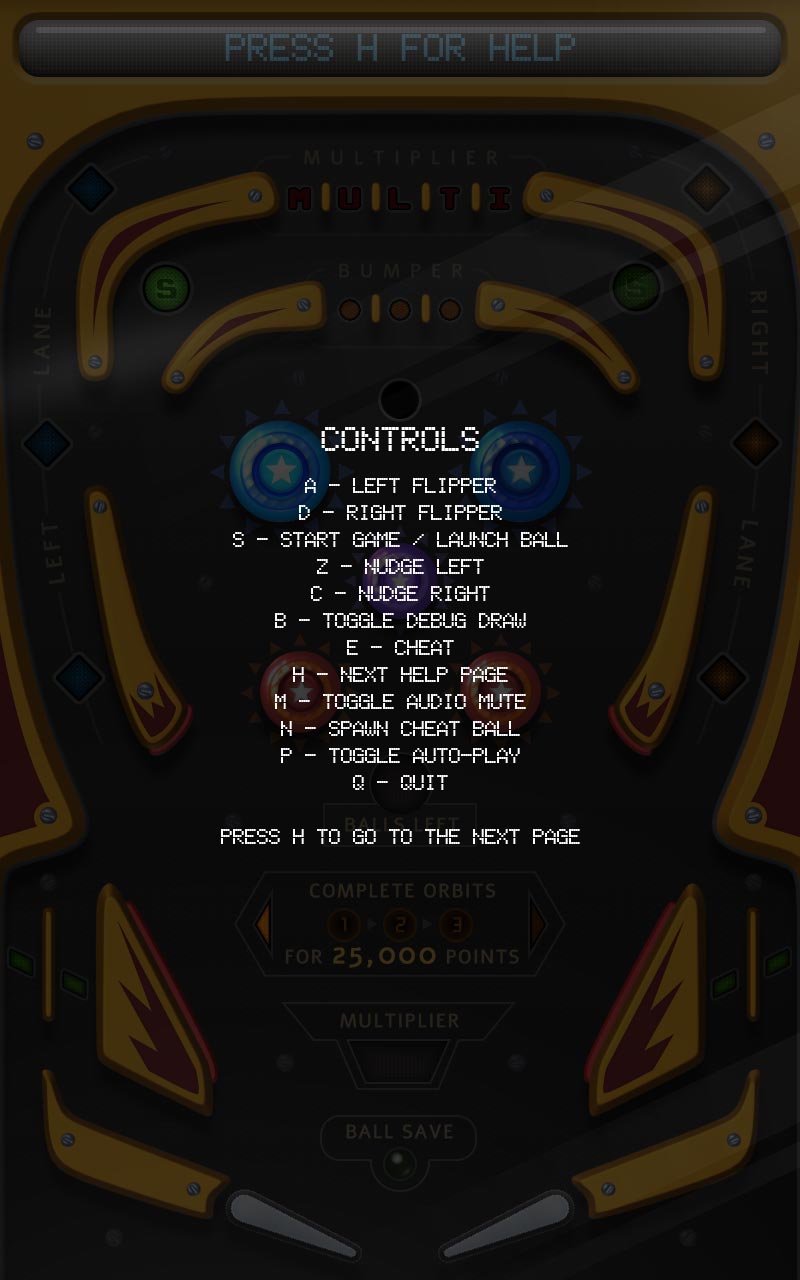
Placeholder for pinball attract mode or instruction page
Help screen page.

Because the game was designed for a portrait display, the UI had to share space with the table without fighting the main action. Score, ball state, rewards, warnings, and help information needed to be clear while the ball remained the visual priority.

This meant treating feedback as part of the game loop: score changes, jackpots, tilt warnings, ball save, and multiball states had to be readable quickly, especially during fast physical motion.

Iteration & debugging

Debug tools and autoplay made the physics easier to test repeatedly.

The prototype included debug tools, autoplay/testing features, and cheat/debug controls. These features were important because pinball behavior depends on many small interactions between velocity, collision shape, flipper timing, table layout, and rule triggers.

Autoplay and debug controls made it easier to run repeated tests, inspect edge cases, and tune the table without relying only on manual play. This helped keep iteration fast while the table layout and rules were still changing.

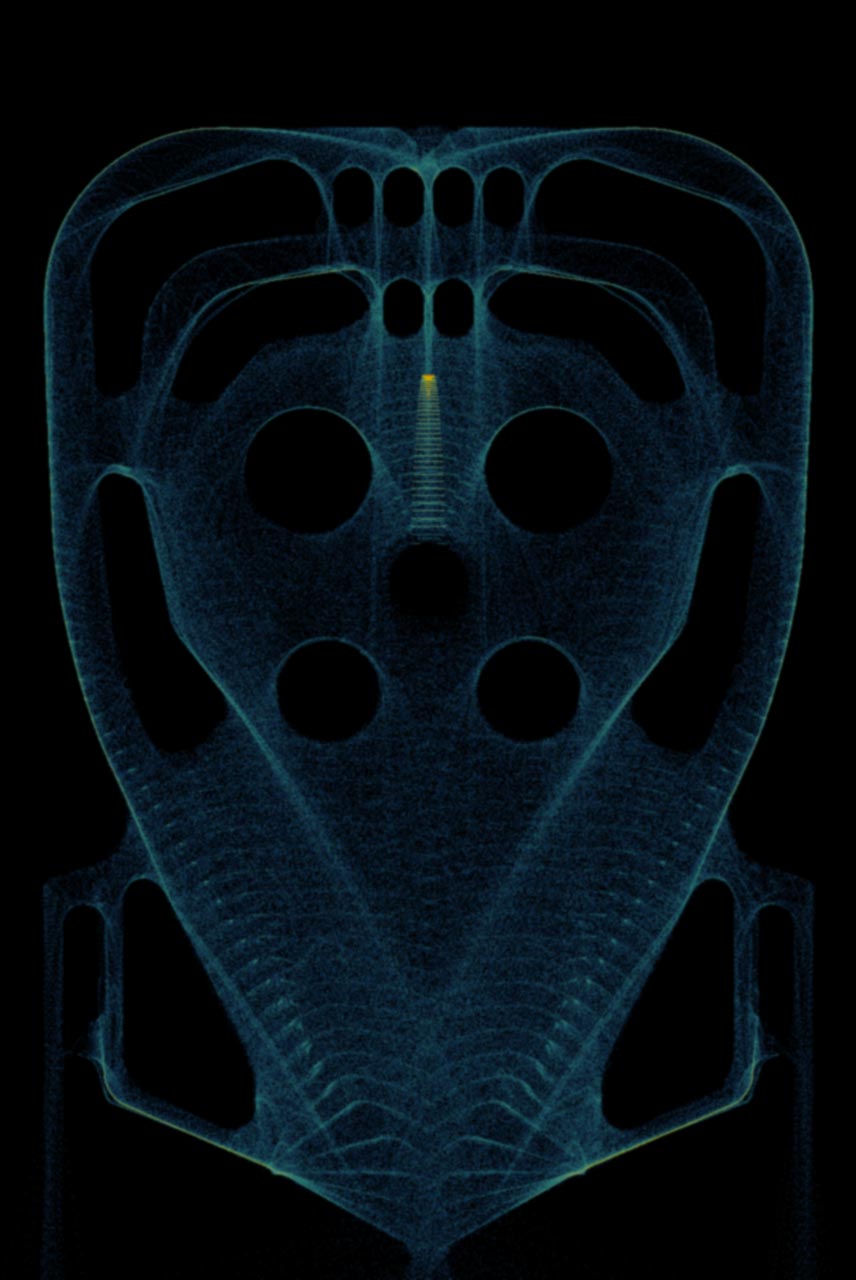
Placeholder for pinball debug tools and autoplay testing view
Heatmap generated by sampling ball locations.

Development process

The prototype grew through repeated passes on layout, physics, rules, and testing.

Author

Build the table layout in Blender and export collision and object placement data to JSON.

Simulate

Load the table into Pygame/Pymunk, tune collisions, velocity, flippers, launcher, bumpers, and drain behavior.

Complete

Add scoring, multiball, jackpots, tilt, help pages, high scores, attract mode, and testing tools.

Result & learning

A constrained prototype can still exercise the full game-development stack.